

Presto Player Review: The Ultimate WordPress Video Player Plugin Solution
In this digital world, using a powerful and user-friendly video player on your WordPress site is essential to engage visitors. One of those video player plugins is Presto Player, designed to give you and your visitors a smooth experience. This plugin allows you to use videos from any source, be it YouTube, self-hosted, or other popular video-hosting sites. It also comes with customization options, analytics, and speed optimizations.
.Presto Player is designed specifically for WordPress websites, making it easy to integrate and use on your site. Presto Player is perfect for displaying your video and audio to the highest effect, and it includes private video hosting, a stylish audio player, and global player branding. Plus, the plugin has many preset videos and control options, meaning you’ll get a professional-looking video every time in no time.
Key Takeaways
- Presto Player is a versatile video player plugin for WordPress websites, offering seamless integration and support for various video sources.
- The plugin provides various features, including customizable controls, video presets, and analytics, ensuring your video content’s professional, polished look.
- With private video hosting, a sleek audio player, and global player branding, Presto Player is the ultimate solution for effectively managing and displaying video and audio content on your WordPress site.
How Does Presto Player Work, and What Is It Good For?
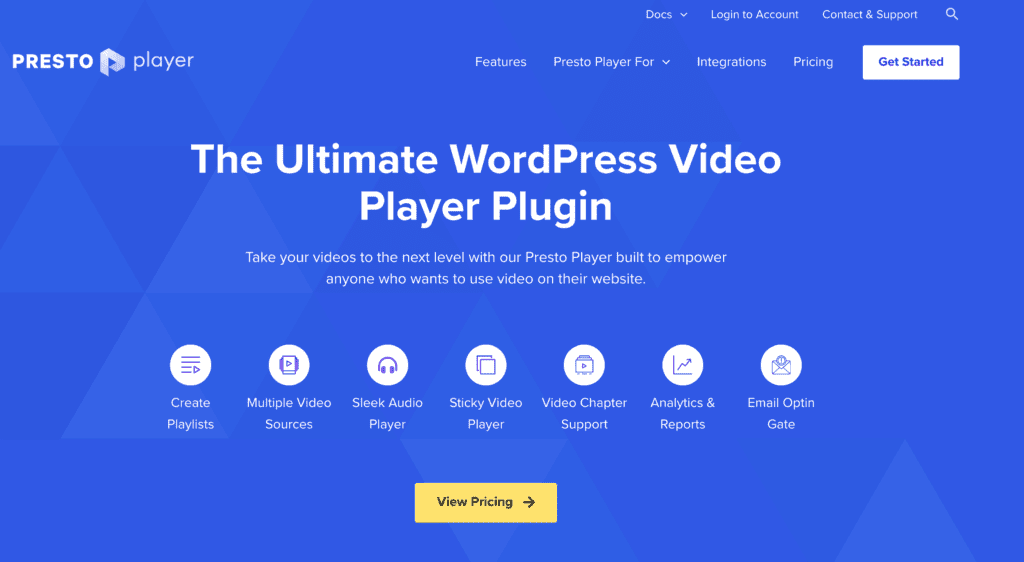
Presto Player is a video player plugin for WordPress that is both powerful and user-friendly. с нула трудноцити а ми о томе правил лако ове терен уз управљем видео садржај из разних извора, укључујући и видео самостално и он наше и видео пластруктура. This WordPress plugin will enhance your site’s user experience through various features. It also has customizable features catering to your needs.
Presto Player is like any other WordPress plugin since you upload and activate it. After enabling, you can set and personalize the player with videos, controls, and branding.
A central plus point of Presto Player is its support for Gutenberg. You can easily add content to your site with the Presto YouTube or Self-Hosted Video Block.
Here’s a brief overview of Presto Player’s key features:
- Multiple video sources: Presto Player supports YouTube, popular video hosting providers like Vimeo, and self-hosted video files.
- Custom video controls: Users can choose from various video controls, such as play/pause, volume, subtitles, etc.
- Sticky video: This feature keeps the video playing in a small window as the user scrolls through the webpage.
- Mobile-friendly: The plugin automatically adjusts video dimensions for optimal viewing on mobile devices.
- Global player branding: Apply consistent branding elements, such as logo and colors, across all videos on the WordPress site.
- Analytics: Users can track video performance metrics, such as views, watch time, and engagement.
Presto Player is ideal for website owners who want to add video and audio content using their WordPress site. It meets the needs of everyone, be it a beginner who requires just a simple video player or an expert searching for robust features and customization options. The plugin is built for Gutenberg, supports various video sources, and has many customization functions. These factors make it one of the best plugins for embedding video on a WordPress site.
Presto Player Video Hosting Options

Presto Player supports various video hosting options, allowing users to choose the best platform. In this section, we will briefly discuss the following video hosting options that Presto Player supports:
Bunny.net
Bunny.net is a popular content delivery network (CDN) that offers fast video delivery with global coverage. Presto Player easily integrates with this platform, allowing users to utilize Bunny.net’s secure and reliable hosting services.
- Fast video delivery worldwide
- Secure and reliable hosting
- Integration with Presto Player
YouTube
YouTube is a widely used video-sharing platform that allows users to host and share their videos for free. Presto Player can directly embed YouTube videos into WordPress websites, offering a simple and accessible way to use YouTube content on your site.
- Free video hosting
- Wide audience reach
- Presto Player integration
Vimeo
Vimeo is another popular video hosting platform known for its high-quality streaming and advanced privacy settings. Presto Player supports Vimeo integration, allowing users to host their videos securely and showcase them professionally.
- High-quality streaming
- Advanced privacy settings
- Easily integrate with Presto Player
CloudFlare Streaming
CloudFlare Streaming is a scalable and secure video hosting solution by CloudFlare that focuses on video performance and security. Presto Player can integrate with CloudFlare Streaming to provide a seamless experience for users who prioritize advanced video protection.
- Video performance and security
- Scalable hosting solution
Self-Hosting
Self-hosting (not recommended) allows users to host their videos on their servers, giving them complete control over their files. Presto Player supports self-hosted videos and allows users to customize the video player to their preferences.
- Complete control over video files
- Customization options
- Support for self-hosted videos in Presto Player
Review of Presto Player Key Outstanding Features of Presto Player
Video and Audio Chapters
Presto Player allows users to create video and audio chapters. This feature helps break down long-form content into easily digestible and accessible segments, allowing viewers to jump directly to specific parts of the video or audio content.
Blocks for Gutenberg and Hosting Choices
Presto Player integrates seamlessly with WordPress Gutenberg blocks. The plugin provides dedicated video blocks for Gutenberg, making it easy for users to embed videos from various hosting options, including self-hosted, YouTube, and other popular video hosting providers.
Links and Text Overlays
One unique feature of Presto Player is adding links and text overlays to videos. This functionality allows creators to further engage their viewers by providing additional context or calls to action within the video.
Audio and Podcast Player
In addition to its video capabilities, Presto Player is also a sleek audio and podcast player. The intuitive Presto Player interface allows users to easily embed audio files and podcasts on their WordPress websites.
Video Enhancement Settings
Presto Player provides a wide range of video enhancement settings, including playback speed controls, adjustable aspect ratios, and a sticky video feature, which allows a video to remain playing in a small window as users scroll through a website.
Presets Design and Player Branding
With its preset design and player branding feature, Presto Player allows users to easily customize the appearance of their video player to match their website’s aesthetics. Moreover, pro version features such as global player branding enable uniform player designs across an entire WordPress site.
Integrated Analytics
Presto Player includes integrated analytics to help users understand how their video content performs. Access to valuable data, such as viewer engagement and video plays, allows creators to optimize their content effectively and better understand their audience.
Presto Player Speed Optimizations
Presto Player cares about video playback performance and provides plenty of speed optimization features to ensure an efficient and smooth experience.
The lazy loading element very significantly lowers the page loading time. This function will not fetch your video until the visitor scrolls down to it, which saves bandwidth and extra data. Presto Player also uses video compression to cut the file size without reducing quality. Buffer times are reduced, which enhances the user experience.
A COMPLETE STEP-BY-STEP CHEATSHEET
TO CREATING, LAUNCHING & GROWING A SUCCESSFUL MEMBERSHIP WEBSITE

When you add a video to your content, you can use Adaptive Bitrate Streaming (ABR) to ensure the user gets the best quality video the connection allows. ABR is a technology that adjusts the bitrate of a video automatically and in real-time. It makes the viewing experience more enjoyable for users with different internet speeds.
Presto Player lets you pick your video source. You can store your video files on different video hosting sites. It prevents one server from taking all the load and becoming overwhelmed. You can also select various video formats, such as MP4, WebM, and OGG, for better support on different devices and browsers.
In summary, Presto Player focuses on speed and performance optimizations through features such as:
- Lazy loading
- Built-in video compression
- Adaptive Bitrate Streaming
- Efficient video source selection
- Support for multiple video formats
By incorporating these optimization features, Presto Player ensures a fast and smooth viewing experience for users on your WordPress site.
Working With WordPress Media Library
Working with the WordPress Media Library is crucial to integrating Presto Player into your website. The media library allows seamless video management, ensuring smooth playback and a well-ordered content organization.
To begin, let’s look at how to import videos into the media library:
- From your dashboard, navigate to Media > Add New.
- Drag and drop your video files or click Select Files to browse your computer.
- Upload your video files to the media library.
Once your video files are uploaded, you can insert them into your website using Presto Player:
- Create a new post or open an existing one.
- Click the Add Block button (the plus icon) in the Gutenberg editor.
- Search for ‘Presto Player’ and click on the Presto Player block.
- Select a video from your WordPress media library.
To enhance the appearance and functionality of your videos, Presto Player offers various customization options:
- Video Controls: Customize the play, rewind, fast-forward, volume, and fullscreen buttons.
- Playback Speed: Set custom playback speeds for users to choose from.
- Sticky Video: Enable a sticky video to continue playing while users scroll through the page.
Presto Player also offers advanced settings to optimize the user experience and improve the video-loading speed:
- Lazy Loading: Load video only when it comes into the viewport. This feature can improve page load times on pages with multiple video content.
- Video Poster: Specify a thumbnail image to display before the video starts playing.
In summary, the WordPress Media Library significantly manages and displays video content for the Presto Player plugin on your WordPress website. By understanding how to upload and customize videos in the library, you can efficiently showcase your media with this powerful player.
Presto Player Analytics Pages
Presto Player takes video analytics seriously. Its analytics feature lets users gain insights into their audience’s engagement with video content. The feature is designed to help content creators and website owners understand their viewers’ preferences, leading to better content strategy and user experience.
Analyzing User Engagement
The analytics pages present data related to the engagement metrics of the videos hosted on the website. This includes information such as:
- Play rate: The percentage of site visitors who played the video.
- Watch time: Total cumulative watch time of the video.
- Average watch time: Average time spent on the video by each user.
- Video drop-off: Breakdown of user engagement at different points throughout the video.
Data is displayed using charts and tables, visually representing user engagement with video content.
Ease of Access
Presto Player analytics can be accessed directly within the plugin’s dashboard on the WordPress site. This seamless integration makes it easy for users with appropriate permissions to analyze video performance. This saves time and promotes good decision-making based on real-time data.
Filtering and Comparisons
Users can filter the data they want to view based on specific criteria such as date range, video source, and video category. Comparing video statistics is also made simple, as users can quickly view multiple video analytics side-by-side, helping them determine the best-performing content across their site.
Available in Pro Version
It’s worth noting that the video analytics feature is only included in the Presto Player Pro version, which is part of the premium package. Upgrading to the pro version offers this additional benefit alongside many other advanced features like global player branding, dedicated video hosting, and more.
By incorporating video analytics, Presto Player offers a comprehensive video player plugin for WordPress users and provides valuable data that content creators and website owners can leverage.
Presto Player Pricing
Presto Player vs. Vimeo Pricing (excludes the c
Presto Player offers various pricing options to cater to different user needs. Plans starting from $99 per year for a single site are considered affordable for a WordPress video player plugin. On the other hand, Vimeo’s pricing starts at $7 per month (billed annually) for its Plus plan, which offers basic video hosting features.
Here’s a quick comparison of the two platforms’ pricing:
| Features | Presto Player | Vimeo |
|---|---|---|
| Basic Plan | $99 per year unlimited videos | $300 per year, 120 videos |
| Multi-site Support | 25 sites* | N/A |
| Video Hosting | We recommend Buddy.net | Integrated |
*Presto Player Pro version
While both platforms offer a variety of plans and features, Presto Player has the advantage of providing a more tailored experience for WordPress website users, with the added convenience of being a plugin.
Presto Player vs. Wistia Pricing
Compared to Wistia’s pricing, Presto Player provides a much more cost-effective solution. Wistia’s pricing starts at $99 monthly for its Pro plan, which offers advanced video hosting features and up to 10 free videos.
Here’s a brief comparison of Presto Player and Wisteria’s pricing:
| Features | Presto Player | Wistia |
|---|---|---|
| Basic Plan | $99 per year | $1,188 per year |
| Multi-site Support | 25 sites* | N/A |
| Video Hosting | We recommend Buddy.net | Integrated |
*Presto Player Pro version
When comparing these two platforms, Presto Player delivers a more accessible option at a substantially lower price, with competitive features suited for WordPress users.
Presto Player vs. Uscreen
Uscreen is another popular video hosting platform that provides an all-in-one solution for video businesses. Its Basic plan starts at $49 per month. Though it offers a seamless experience, Uscreen may not be as well-suited for WordPress websites as Presto Player.
A comparison of Presto Player and Uscreen pricing:
| Features | Presto Player | Uscreen |
|---|---|---|
| Basic Plan | $99 per year | $588 per year |
| Multi-site Support | 25 sites* | N/A |
| Video Hosting | We recommend Buddy.net | Integrated |
*Presto Player Pro version
In conclusion, while Uscreen offers a feature-rich solution for video businesses, Presto Player remains a better choice for WordPress website owners, thanks to its specialized focus and more affordable pricing.
Email Marketing Services
Email marketing is a powerful tool for businesses to connect with their audience and drive conversions. Various email marketing services are available to cater to different needs. This section will briefly discuss four popular options: FluentCRM with SendGrid, MailerLite, ActiveCampaign, and MailChimp.
FluentCRM with SendGrid
FluentCRM is a self-hosted email marketing and CRM plugin for WordPress. It provides comprehensive features, including contact management, email personalization, and automation. FluentCRM integrates with various email-sending services to manage email sending, one of which is SendGrid.
SendGrid is a reliable email delivery platform that ensures your campaigns reach your recipients’ inboxes, minimizing bounce rates and maximizing open rates. FluentCRM and SendGrid, combined, provide a powerful and flexible solution for businesses looking to manage their email marketing campaigns directly from their WordPress site.
MailerLite
MailerLite is an affordable yet feature-rich email marketing service that makes it easy to create responsive email campaigns, even for those with little to no experience. MailerLite offers a user-friendly and intuitive drag-and-drop email editor, automation capabilities, and excellent deliverability rates.
Features include:
- Drag-and-drop email editor
- Pre-built email templates
- Automation workflows
- Embedded signup forms
- Analytics and Reporting
MailerLite’s pricing is structured on a subscriber-based tier system, making it an attractive option for small businesses and solopreneurs operating on a modest budget.
ActiveCampaign
ActiveCampaign is a robust email marketing service specializing in email campaign automation. It offers advanced automation features, including triggers, actions, and conditional logic, making sending personalized and relevant emails to your audience easy.
Some of Active Campaign’s top features are:
- Automation map for visualizing workflows
- CRM integration for seamless sales and marketing alignment
- Conversational AI for automating lead capture and follow-ups
- Analytics to track performance and make informed decisions
ActiveCampaign is a perfect fit for businesses that require complex automation processes and are willing to spend time learning the platform to unlock its full potential.
MailChimp
MailChimp is one of the market’s most well-known email marketing services, offering a comprehensive suite of tools designed to help businesses create and manage successful email campaigns. With an intuitive email editor, pre-built email templates, and extensive automation capabilities, MailChimp provides a solid foundation for any business, large or small, to build and scale its email marketing efforts.
Key features include:
- Drag-and-drop email builder
- Email automation and personalization
- A/B testing
- Built-in landing page builder
- Detailed analytics and reporting
In addition to its powerful email marketing tools, MailChimp integrates with popular e-commerce platforms, CRM systems, and social media management tools, making it an all-in-one marketing hub for businesses.
Each of these email marketing services has its unique features and benefits. Consider your business needs, available resources, and marketing goals when selecting a platform that will best serve your email marketing campaigns.
Automation Tools
Automation tools are essential for ensuring seamless integration between Presto Player and other plugins or systems you may already be using on your WordPress website. These tools help you manage and optimize your video content, automatically handling various tasks, workflows, and processes in the background. We’ll briefly discuss three popular automation tools that can complement your Presto Player experience: FluentCRM, WP Fusion, and AutomationWP.
FluentCRM
FluentCRM is a feature-rich, self-hosted Customer Relationship Management (CRM) plugin for WordPress. It offers full email marketing automation, allowing you to create and manage targeted email campaigns, segment your subscribers, and track performance metrics like open rates and click rates. FluentCRM enables you to:
- Build contact lists: Capture user information from your video content and create a personalized email list.
- Send personalized emails: Use this data to create customized email campaigns that cater to viewer preferences.
- Analyze metrics: Access in-depth email tracking and behavior insights, helping you improve your email marketing strategy.
WP Fusion
WP Fusion is a powerful WordPress plugin that connects your website to over 40 CRM and marketing automation tools. It unifies your user data with your CRM, automating several tasks based on your users’ activity, such as:
- Tagging users: When users interact with your video content, WP Fusion automatically updates your CRM, applying tags accordingly.
- Content control: Use these tags to restrict or grant access to specific video content based on a user’s profile in your CRM.
- Personalization: Leverage these insights to create more personalized experiences for your viewers, from video recommendations to offers and promotions.
AutomationWP
AutomationWP is a renowned automation plugin for WordPress, built to connect and automate the most popular WordPress plugins and platforms. With its user-friendly interface and advanced integrations, AutomationWP helps you create custom workflows and automation rules that help you:
- Save time: Automate repetitive tasks, freeing time to focus on more critical aspects of your business.
- Connect plugins: Establish connections between Presto Player and other plugins on your WordPress website.
- Optimize processes: Create tailored workflows that streamline user engagement, content delivery, and business processes based on your viewers’ actions.
These automation tools offer immense value to anyone using Presto Player on their WordPress website. They simplify managing video content, optimizing user experiences, and unlocking powerful marketing automation capabilities in one integrated solution.
Are There Any Presto Player Alternatives?
While Presto Player is an excellent choice for incorporating video content on your WordPress website, you should consider the alternatives to find the best solution for your needs. This section will discuss three popular options for Presto Player: Videopack, Ultimate Video Player, and Easy Video Player.
Videopack
Videopack is a versatile video player plugin for WordPress that supports various video hosting platforms and formats. Using a clean, responsive, and customizable player, it allows you to embed videos from popular sources like YouTube, Vimeo, and other self-hosted videos.
Critical features of Videopack include:
- Multiple video formats: Supports MP4, WebM, Ogg, and HLS streaming.
- Responsive design: Adapts to different screen sizes and resolutions.
- Customizable controls: Modify video controls to match your website’s aesthetics.
With these capabilities, Videopack makes providing a high-quality video experience for your audience easy.
Ultimate Video Player
Ultimate Video Player is another comprehensive WordPress plugin that offers a wide range of features for managing and displaying videos on your site.
Some of the highlights of this plugin are:
- Playlist support: Create and manage video playlists with ease.
- Subtitle support: Add subtitles in multiple languages for greater accessibility.
- Sticky videos: Keep videos playing in a small window while users scroll through your content.
Ultimate Video Player can handle multiple video sources, making it a suitable option for those who wish to present an extensive video library on their website.
Easy Video Player
Finally, Easy Video Player is a user-friendly and straightforward plugin for those who prefer a minimalist approach to video embedding. The plugin is focused on providing essential features with an uncomplicated setup process.
Critical aspects of Easy Video Player include:
- Embed videos with shortcodes: Quick and easy to add videos to your content.
- Self-hosted and YouTube support: Works with both self-hosted videos and YouTube content.
- Responsive layout: Adjusts automatically to fit on different devices.
In summary, Easy Video Player is ideal for those who want a simple yet effective solution for embedding videos on their WordPress website.
The WordPress Post-Installation Guide to Presto Player
After installing Presto Player on your WordPress website, follow these steps to use this video player plugin’s powerful features effectively.
-
Adding video content: Go to the Presto Player -> Media Hub on your WordPress dashboard to add a video. Click Add New and choose a video file from your computer or by entering the URL of the video file hosted on a platform like YouTube or Vimeo. Presto Player supports multiple video hosting providers, ensuring seamless compatibility.
-
Customizing video presets: Presto Player offers various video presets that allow you to customize the player’s appearance and functionality. To access them, navigate to Presto Player -> Settings -> Presets. You can change the video controls, playback speed, aspect ratio, and more to ensure an engaging experience for your viewers.
-
Embedding video on your website: With the video added and presets customized, it’s time to embed the video on your WordPress site. In the editor, insert a new block and search for the Presto YouTube Video Block or the Presto Self-Hosted Video Block. Select the appropriate video block and choose the video you want to display from the Media Hub. Configure any additional options, such as autoplay and sticky video.
-
Styling the audio player: Presto Player offers a sleek audio player that can be customized to match your website’s design. Go to Presto Player -> Settings -> Audio Player to change the appearance, volume slider, and more.
-
Upscaling to Presto Player Pro: If you want to unlock more advanced features, consider upgrading to Presto Player Pro. This version supports up to 25 sites, global player branding, dedicated video hosting options, and analytics.
With these steps, you can leverage Presto Player’s power and enhance the multimedia experience on your WordPress website.
Frequently Asked Questions
Q: What is Presto Player, and how is it related to WordPress?
A: Presto Player is a video plugin designed specifically for WordPress websites. It allows users to add and customize videos on their WordPress site easily.
Q: What are the critical features of Presto Player?
A: Presto Player’s key features include support for multiple video sources, video presets, different video controls, and a user-friendly interface.
Q: How does Presto Player enhance the video experience on a WordPress site?
A: Presto Player provides a seamless experience for viewers by offering a preview of the video at the top of the player and additional controls at the bottom.
Q: Can Presto Player be integrated with the Gutenberg video block?
A: Presto Player can easily be integrated with the Gutenberg video block, allowing users to include videos directly within their content.
Q: What is the difference between Presto Player and other WordPress video player plugins?
A: Presto Player stands out for its versatility, ease of use, and the ability to support multiple videos on a single page, making it a top choice for WordPress users.
Q: What advantages does the Pro version of Presto Player offer?
A: The Pro version of Presto Player unlocks additional features such as the Presto Player media hub, advanced customization options, and direct integration with WordPress sites.
Q: How easy is adding and customizing videos using Presto Player?
A: Presto Player makes adding and customizing videos on your WordPress site simple. It gives you the power to enhance your content with dynamic video elements.
Final Thoughts
Presto Player has proven itself to be a great WordPress video player plugin. It enables website owners to enjoy compatibility with multiple platforms like YouTube and Vimeo or self-hosted videos. This plugin lets users customize the player’s appearance, controls, and functionality per their needs. It helps in taking better control of video content.
The plugin’s dedicated video preset ensures video settings are optimized to allow users to enhance their viewing experience. The plugin’s flexibility is enhanced by its ability to handle video and audio content, allowing users to incorporate media into their websites seamlessly.
Also, Presto Player’s Media Hub lets you gather your videos into organized collections, keep drafts, and more. The Pro edition has advanced features such as analytics, global player branding, and 25-site use options, taking it further. The fees for the Pro version are affordable, making it a beneficial purchase for the owners of professional websites.
Key features of the Presto Player plugin are as follows:
Supports different video hosting platforms.
Customizable appearance and controls.
Media Hub to streamline video management.
Pre-made video adjustments for a better viewing experience.
Audio player integration.
Analytics and international player branding in the Pro version
Although you can find numerous WordPress video player plugins online, Presto Player is among the strongest contenders for the best plugin owing to its extensive functionalities and ease of use. Presto Player makes it easy for all users, from beginners to professionals, who want to use video content on their WordPress sites.


