Best LMS Platforms For Higher Education
Learning management systems have become essential tools for educational institutions and organizations seeking to deliver, track, and manage learning programs effectively. These platforms enable everything from simple course delivery to complex blended learning environments that combine online and traditional teaching methods. The right LMS can transform how institutions handle student progress tracking, automate administrative tasks, and create engaging learning experiences across devices.
Selecting an ideal LMS requires understanding the specific learning needs of an organization and evaluating how different platforms address those requirements. The market offers various options, from established systems like Moodle and Canvas LMS to specialized solutions like Absorb LMS and emerging hybrid approaches that integrate WordPress and AI technologies. Each platform brings distinct features, pricing models, and implementation approaches.
Tracking Student Progress
Modern learning management systems provide robust tools for monitoring and evaluating student advancement through course materials. Instructors can access real-time data about assignment completion, quiz scores, and participation rates. This visibility enables timely interventions when learners struggle with specific concepts.
Key tracking capabilities include:
- Assignment submission status and grades
- Quiz and assessment performance
- Time spent on course materials
- Discussion forum participation
- Login frequency and course access patterns
- Progress percentage through course modules
Most LMS platforms generate automated reports that display individual student metrics alongside class-wide analytics. These reports help instructors identify trends and adjust teaching strategies accordingly. Students benefit from progress dashboards that show their completion status and upcoming deadlines.
The best learning management systems offer customizable gradebooks where instructors can weight assignments, calculate final grades, and provide detailed feedback. Many platforms include visual progress indicators such as completion bars and achievement badges. These features help learners understand where they stand in a course.
Advanced tracking tools support mastery-based learning by allowing instructors to set competency thresholds. Students must demonstrate proficiency before advancing to subsequent modules. This approach ensures comprehensive understanding of foundational concepts.
Mobile apps extend tracking functionality beyond desktop computers. Learners can check grades and monitor their progress from any device. Instructors receive notifications about student activity and can respond to questions promptly, creating a more responsive learning environment.
Student Retention
Learning management systems play a direct role in keeping students engaged with their educational programs. When institutions implement an LMS with strong engagement features, they create environments where learners are more likely to complete courses and remain enrolled.
Key LMS features that support retention include:
- Progress tracking and milestone notifications
- Personalized learning paths based on individual performance
- Mobile app access for learning on any device
- Discussion forums and social learning tools
- Automated reminders for upcoming assignments
A flexible LMS helps educators identify students who are falling behind through analytics and reporting tools. Instructors can intervene early when they notice patterns like reduced login frequency or missed assignments. This proactive approach addresses problems before students disengage completely.
Blended learning options within an LMS accommodate different learning styles and schedules. Students who struggle with traditional classroom formats often thrive when they can access course content at their own pace. The ability to review materials multiple times or pause lessons creates better learning experiences for diverse populations.
Integration capabilities allow institutions to connect their LMS platform with student support services. When academic advising, tutoring, and counseling resources are accessible through the learning platform, students receive comprehensive support without navigating multiple systems.
Cloud-based LMS solutions ensure students can access their courses from anywhere with internet connectivity. This accessibility is particularly important for non-traditional students balancing work, family, and education. Consistent access to course materials and the learning environment reduces barriers that might otherwise lead to withdrawal.
Consistency
A learning management system delivers standardized training across an entire organization. Every learner accesses the same course content, materials, and assessments regardless of location or department. This uniformity ensures compliance requirements are met and organizational knowledge transfers accurately.
Traditional classroom training varies based on the instructor’s style and interpretation. An LMS eliminates this variability by presenting identical learning experiences to all users. Course delivery remains uniform whether employees work remotely, in different offices, or across multiple time zones.
Key consistency benefits include:
- Standardized onboarding processes for new employees
- Uniform compliance training documentation
- Identical certification requirements across teams
- Consistent assessment criteria and grading
Organizations using an LMS platform maintain better control over their learning programs. Course content updates deploy simultaneously to all users, preventing outdated information from circulating. Version control features track changes and ensure everyone views current materials.
Cloud-based LMS solutions provide consistency in the learning environment itself. Users encounter the same interface, navigation, and features whether accessing courses through desktop browsers or mobile apps. This familiar experience reduces confusion and support requests.
Integration capabilities extend consistency beyond the LMS platform. When connected to HR systems, employee records sync automatically. Performance data flows uniformly into reporting tools. The result is reliable, comparable metrics across all learning initiatives.
Blended learning programs benefit from this standardization too. Online course components remain consistent while allowing flexibility in live sessions or collaborative learning activities.
Automation
Modern learning management systems incorporate automation features that reduce administrative workload and streamline repetitive tasks. These capabilities allow instructors and administrators to focus on creating better learning experiences rather than managing manual processes.
Key Automation Features in LMS Platforms:
- User enrollment and course assignments based on predefined rules or organizational roles
- Certificate generation and distribution upon course completion
- Progress tracking and reporting that updates in real-time without manual intervention
- Email notifications and reminders for upcoming deadlines, new assignments, or course updates
- Grading workflows for objective assessments like multiple-choice quizzes
Cloud-based LMS solutions like Canvas LMS and Absorb LMS offer automation tools that handle routine tasks efficiently. Organizations can set up workflows that automatically enroll new employees into onboarding programs or assign training modules based on job function.
Automated course delivery schedules content to become available at specific times or after learners complete prerequisite materials. This feature supports both online learning and blended learning programs by managing the timing and sequence of course content without instructor intervention.
Integration capabilities enhance automation by connecting the LMS platform with HR systems, CRM tools, and other enterprise software. These connections enable automatic data synchronization and eliminate duplicate data entry across systems.
When choosing a learning management system, organizations should evaluate automation features against their learning needs. The ideal LMS provides configurable automation options that adapt to different learning programs and organizational workflows while maintaining flexibility for future requirements.
What Are Some Of The Key Things You Need From an LMS For Higher Education
Higher education institutions require an LMS that supports both traditional classroom instruction and online learning formats. The platform must handle large user bases, including students, faculty, and administrative staff.
Essential features for higher education include:
- Robust course management tools that allow instructors to organize content, assignments, and assessments
- Integration capabilities with student information systems, libraries, and other campus technologies
- Mobile learning support through responsive design or dedicated mobile apps
- Collaborative learning features such as discussion forums, group projects, and peer review tools
- Analytics and reporting to track student progress and identify at-risk learners
The ideal LMS should support blended learning approaches that combine face-to-face instruction with online components. Faculty members need intuitive interfaces that don’t require extensive technical training.
Students benefit from platforms that provide consistent access to course content across devices. The system should accommodate various content formats including video lectures, interactive modules, and downloadable resources.
Academic-specific requirements:
| Feature | Purpose |
|---|---|
| Gradebook management | Track and calculate student performance |
| Plagiarism detection | Maintain academic integrity |
| Accessibility compliance | Meet ADA and WCAG standards |
| Content authoring | Create interactive learning materials |
Cloud-based LMS platforms often provide better scalability and reduced IT maintenance costs. The learning environment must remain stable during peak usage periods such as exam weeks and registration periods.
Support for multiple learning programs and departments within a single platform helps institutions maintain consistency while allowing customization.
What Are the Main Differences Between a Proprietary LMS and Open Source?
Proprietary and open source learning management systems differ significantly in ownership, cost structure, and customization capabilities. Understanding these distinctions helps organizations select the right platform for their needs.
Ownership and Licensing
Proprietary LMS platforms are owned by specific companies that control the software code. Users pay licensing fees to access the system. Open source LMS solutions provide publicly available code that anyone can access, modify, and distribute freely.
Cost Structure
| Aspect | Proprietary LMS | Open Source LMS |
|---|---|---|
| Initial Cost | Licensing fees required | Free to download |
| Ongoing Costs | Subscription or per-user fees | Hosting, maintenance, development |
| Support | Included in package | Self-managed or third-party |
Customization and Flexibility
Open source platforms like Moodle allow complete access to source code. Organizations can modify features, add integrations, and tailor the learning platform to specific requirements. Proprietary systems restrict customization to available settings and approved add-ons.
Technical Requirements
Proprietary LMS platforms typically include hosting, updates, and technical support as part of the service. Open source solutions require in-house technical expertise or external developers to maintain servers, implement updates, and troubleshoot issues.
Support and Updates
Vendor-managed proprietary systems provide dedicated support teams and regular automated updates. Open source platforms rely on community forums, documentation, and hired consultants for assistance. Updates must be manually implemented by technical staff.
What Are The Main Options Connected To LMS In 2026
Organizations evaluating learning management systems in 2026 encounter three primary deployment models. Cloud-based LMS platforms dominate the market, offering subscription-based access without server maintenance requirements. These systems provide automatic updates and scalability.
Self-hosted LMS solutions remain relevant for organizations with specific security or customization needs. Moodle represents a popular open-source option in this category. Self-hosted platforms give institutions complete control over data and infrastructure.
Hybrid LMS models combine cloud convenience with on-premises control. This approach suits organizations transitioning from traditional systems or managing sensitive training data.
Integration capabilities form another critical decision area. Modern LMS platforms connect with:
- Human resource management systems
- Video conferencing tools
- Content libraries and authoring tools
- Single sign-on authentication services
- Analytics and reporting platforms
Mobile learning has shifted from optional to essential. Leading platforms provide native mobile apps alongside responsive web interfaces. Learners access course content, complete assignments, and participate in discussions from any device.
Content delivery methods vary significantly across platforms. Organizations choose between systems emphasizing self-paced online courses, instructor-led training, blended learning approaches, or social and collaborative learning features.
Licensing structures present distinct options. Some vendors charge per active user, while others offer unlimited user licenses. Enterprise packages typically bundle advanced features like custom branding, dedicated support, and enhanced security controls.
The choice between traditional course management focus and comprehensive learning experience platforms affects long-term training strategy. Modern systems increasingly emphasize engagement, personalization, and continuous learning beyond basic course completion tracking.
SaaS
Software as a Service (SaaS) has become the dominant delivery model for modern learning management systems. Organizations access their LMS through a web browser without installing or maintaining software on local servers. The vendor handles all technical aspects including updates, security patches, and infrastructure management.
Key advantages of SaaS-based LMS platforms include:
- Lower upfront costs with subscription-based pricing
- Automatic updates and new features
- Scalability to accommodate growing user bases
- Access from any device with internet connectivity
- Reduced IT burden on internal teams
SaaS LMS platforms operate on a multi-tenant architecture where multiple organizations share the same infrastructure while keeping their data separate and secure. Users simply log in through a web portal to access courses, content, and learning tools.
Most SaaS learning management systems offer tiered pricing based on the number of active users or features required. Organizations pay monthly or annual fees rather than large capital expenditures for software licenses and hardware.
The cloud-based nature of SaaS platforms enables seamless integration with other business tools through APIs and pre-built connectors. Popular LMS options like Canvas, Moodle Cloud, and Absorb LMS operate on SaaS models that support mobile apps and responsive design for learning across devices.
Vendors typically guarantee uptime through service level agreements and maintain data centers with redundancy and backup systems. Organizations can provision new users quickly and scale their learning programs without worrying about server capacity or performance issues.
Open Source
Open source learning management systems provide organizations with free access to core software that can be customized to meet specific learning needs. These platforms allow administrators to modify source code, add features, and integrate third-party tools without licensing fees.
Moodle stands as the most widely adopted open-source LMS globally. The platform supports course management, online learning, and blended learning approaches. Organizations can download and install Moodle on their own servers or use hosting providers for cloud-based deployment.
Canvas LMS offers both open source and commercial versions. The open source variant gives institutions access to the same codebase used in the commercial product. Educational organizations frequently choose Canvas for its modern interface and mobile app capabilities.
Key advantages of open source platforms include:
- No per-user licensing costs
- Complete control over data and hosting
- Ability to customize features and interface
- Large community support networks
- Regular updates from contributor communities
Open source systems require technical expertise for installation, maintenance, and updates. Organizations need staff with appropriate skills or must hire developers to manage the platform. Server costs, security updates, and ongoing maintenance represent the true cost of ownership beyond the free software license.
These platforms excel at supporting traditional and modern learning experiences through features like social learning, collaborative learning, and mobile learning. Integration capabilities allow connection with existing tools and systems already in use within the organization.
WordPress
WordPress offers LMS functionality through dedicated plugins that transform the popular content management system into a learning platform. Organizations already using WordPress can extend their existing infrastructure to deliver online courses without migrating to a separate system.
The most widely adopted LMS plugins for WordPress include LearnDash, LifterLMS, and LearnPress. These plugins provide essential features such as course creation, student enrollment, progress tracking, and quiz functionality. Each plugin offers different pricing models and feature sets to accommodate various learning needs.
WordPress-based LMS solutions integrate seamlessly with existing WordPress themes and plugins. This compatibility allows organizations to maintain consistent branding across their website and learning platform. The extensive WordPress ecosystem provides additional options for payment processing, email marketing, and membership management.
Key considerations for WordPress LMS implementations include:
- Hosting requirements – WordPress sites need reliable hosting with adequate resources to handle course content and user traffic
- Technical expertise – Setup and maintenance require familiarity with WordPress administration and plugin management
- Scalability – Performance may vary based on hosting quality and the number of concurrent learners
- Customization options – Developers can modify plugins and themes to meet specific requirements
WordPress LMS platforms typically support various content formats including video, documents, and interactive elements. Mobile responsiveness depends on the chosen theme and plugin configuration. Organizations must evaluate whether their technical team can maintain a WordPress-based learning environment or if a dedicated LMS platform better serves their requirements.
Hybrid Environments WordPress & AI
WordPress-based LMS platforms increasingly integrate artificial intelligence to enhance learning experiences. These hybrid systems combine WordPress’s flexibility with AI-driven features that personalize course delivery and automate administrative tasks.
Key AI Features in WordPress LMS Platforms:
- Automated content recommendations based on learner progress
- Intelligent course completion predictions
- Adaptive quiz generation and grading
- Personalized learning paths through machine learning algorithms
- Natural language processing for student support chatbots
WordPress plugins like LearnDash, LifterLMS, and Tutor LMS now incorporate AI tools to improve course management. The platforms analyze student data to identify learning patterns and suggest relevant materials. Instructors can use these insights to adjust course content and teaching methods.
AI-powered analytics help administrators track engagement metrics across blended learning programs. The systems flag students who may need additional support before they fall behind. This proactive approach improves retention rates and learning outcomes.
WordPress environments benefit from cloud-based AI services that integrate through APIs. Organizations can choose from various AI tools without rebuilding their entire learning platform. The modular nature of WordPress allows teams to add or remove AI features based on specific learning needs.
Mobile apps connected to WordPress LMS platforms use AI to deliver bite-sized content when learners are most receptive. The technology adapts to individual schedules and learning preferences. Integration with existing WordPress installations means organizations can enhance their current systems rather than migrate to entirely new platforms.
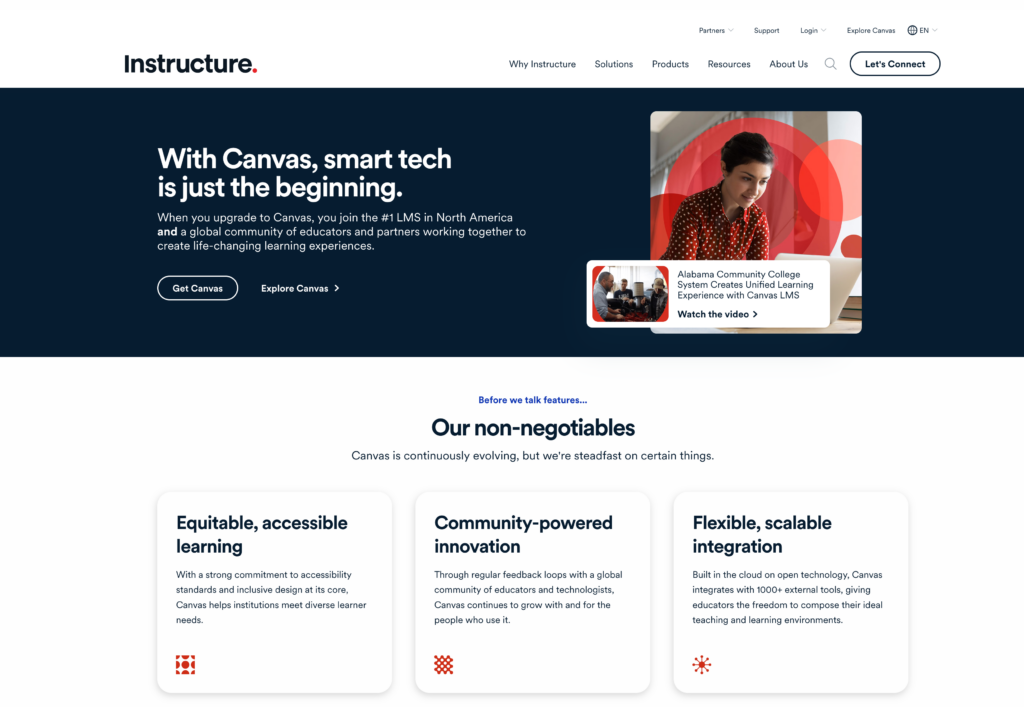
Canvas LMS is an open-source learning management system developed by Instructure that serves educational institutions and corporate training environments. The platform operates as a cloud-based solution, eliminating the need for organizations to maintain local servers or handle complex technical infrastructure.
Key Features
Canvas offers a comprehensive set of tools for course management and content delivery. The platform includes:
- Mobile apps for iOS and Android devices
- Real-time collaboration tools
- Integrated video conferencing
- Assignment management and grading workflows
- Analytics and reporting capabilities
The system supports various content formats and integrates with third-party applications through its API framework. Instructors can create and organize course materials, distribute assignments, and track student progress through a centralized dashboard.
User Interface and Accessibility
The platform features a streamlined interface designed for both instructors and learners. Navigation menus provide access to courses, calendars, and communication tools. Canvas meets accessibility standards, including WCAG 2.1 guidelines, making content available to users with different needs.
Integration Capabilities
Canvas connects with external tools through LTI (Learning Tools Interoperability) standards. Organizations can link the platform to their existing systems, including student information systems, content libraries, and authentication services. The API allows developers to build custom integrations and extend functionality based on specific requirements.
The platform supports both traditional classroom settings and fully online learning programs. Educational institutions from K-12 schools to universities use Canvas, along with businesses implementing employee training initiatives.
LifterLMS
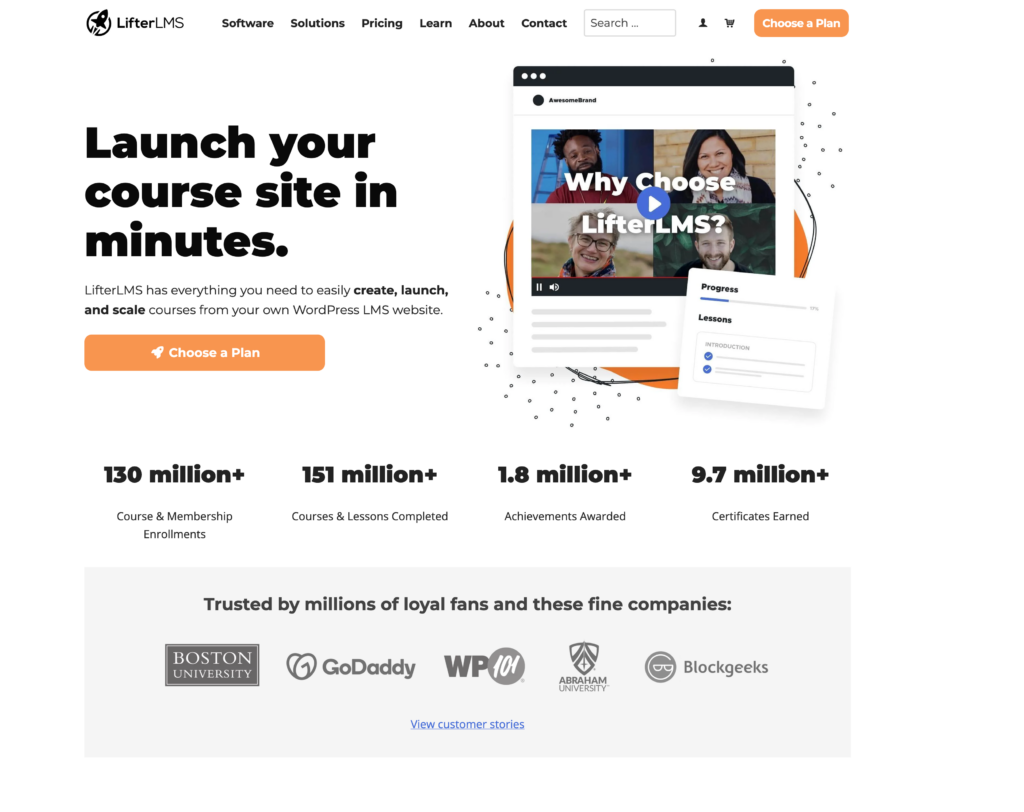
LifterLMS is a WordPress plugin that transforms standard WordPress websites into full-featured learning management systems. Organizations already using WordPress can implement this solution without migrating to a separate platform.
The plugin supports course creation with multimedia content, quizzes, assignments, and drip-fed lessons. Instructors can organize content into courses and memberships with different access levels. LifterLMS includes built-in engagement tools like certificates, badges, and email notifications to track student progress.
Key Features:
- Unlimited courses, lessons, and memberships
- Quiz builder with multiple question types
- Membership site functionality
- Student dashboard and profiles
- Course prerequisites and scheduled content release
- Integration with popular WordPress themes and plugins
The platform offers multiple monetization options. Administrators can sell courses individually, create subscription-based memberships, or bundle multiple courses together. Payment processing works through integrations with WooCommerce, Stripe, and PayPal.
LifterLMS provides reporting tools that track student enrollment, progress, and quiz results. Instructors can monitor which lessons students complete and identify areas where learners struggle. The system generates detailed reports for individual students and entire courses.
The free core plugin includes basic LMS functionality. Advanced features like advanced quizzes, assignments, and specific integrations require paid add-ons. Organizations need technical knowledge of WordPress to set up and customize the platform effectively. The solution works best for businesses and educators already invested in the WordPress ecosystem who want to add learning capabilities to existing websites.
Moodle
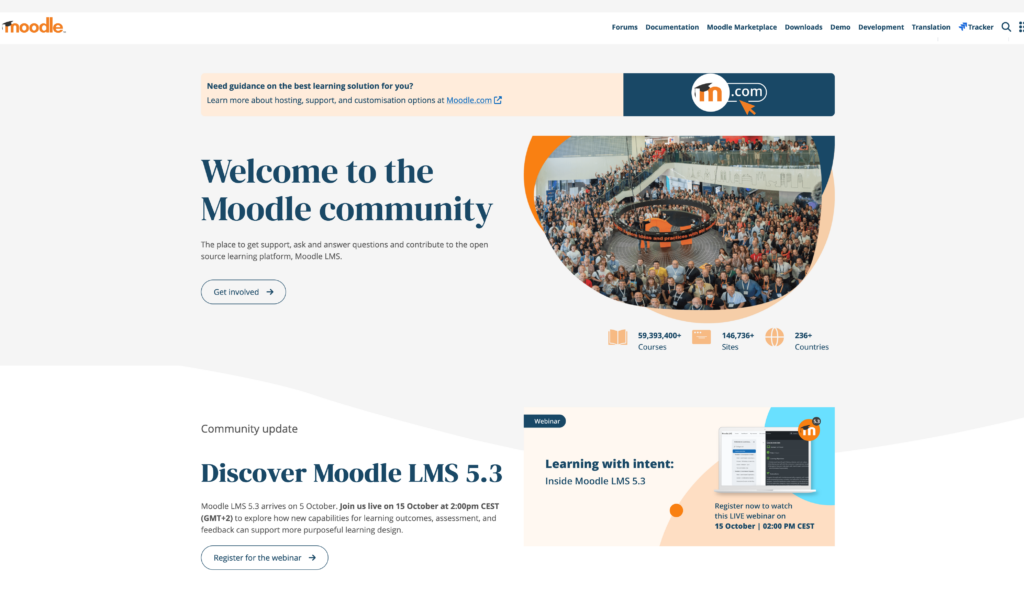
Moodle stands as one of the most widely adopted open-source learning management systems in the world. The platform serves millions of users across educational institutions, corporations, and government organizations in over 240 countries.
The system offers a comprehensive set of features for course creation and management. Instructors can upload various types of content, create quizzes and assignments, and track learner progress through detailed analytics. Moodle supports multiple question types, gradebooks, and assessment tools that enable educators to evaluate student performance effectively.
Key Advantages:
- Open-source architecture with no licensing fees
- Extensive customization options through plugins and themes
- Strong community support with regular updates
- Mobile app for iOS and Android devices
- Support for SCORM and xAPI standards
The platform excels in collaborative learning environments. Discussion forums, wikis, workshops, and peer assessment tools facilitate interaction between learners. Moodle also integrates with third-party applications, including video conferencing tools, content repositories, and plagiarism detection services.
Organizations appreciate Moodle’s flexibility in deployment options. The system can be hosted on institutional servers or through cloud-based providers. This flexibility allows organizations to choose solutions that align with their technical capabilities and privacy requirements.
The interface requires some technical knowledge for initial setup and configuration. However, once configured, course creators find the tools relatively straightforward. Moodle’s active developer community continuously contributes plugins and extensions that enhance functionality and address specific learning needs.
Blackboard Learn
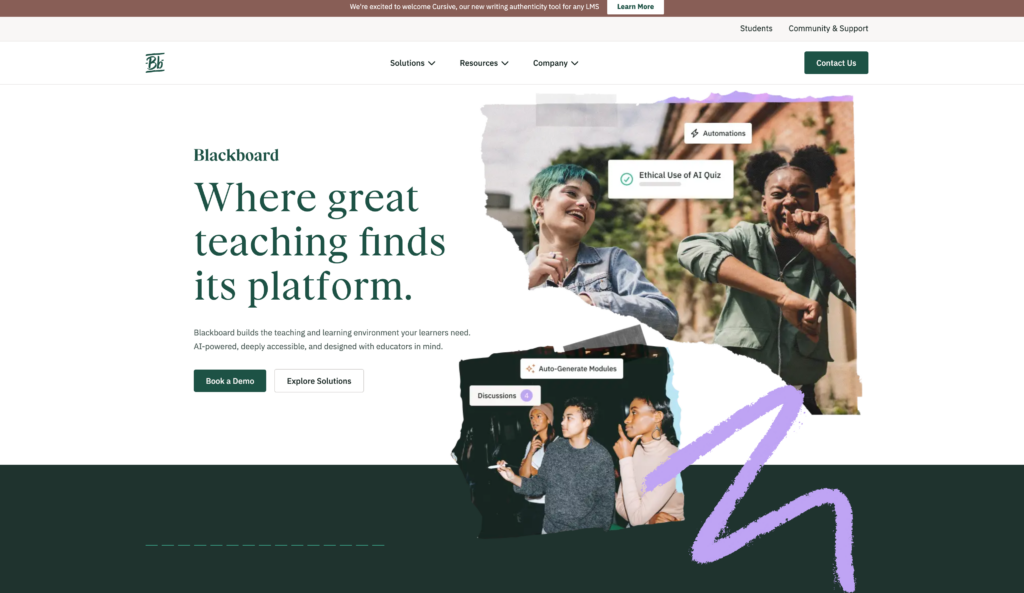
Blackboard Learn stands as one of the most established learning management systems in the education sector. The platform serves millions of users across K-12 schools, higher education institutions, and corporate training environments.
Core Features
The system provides comprehensive course management tools that enable instructors to create, organize, and deliver educational content. Blackboard Learn supports various content types including videos, documents, assessments, and interactive elements. The platform includes a built-in gradebook that automates scoring and tracks student progress throughout the course.
Integration Capabilities
Blackboard Learn connects with numerous third-party applications through its Building Blocks framework and REST API. Schools can integrate video conferencing tools, plagiarism detection services, and content libraries directly into their courses. The system also supports LTI standards for connecting external learning tools.
Mobile Access
The Blackboard mobile app allows students and instructors to access course materials from smartphones and tablets. Users can view assignments, participate in discussions, submit work, and receive notifications while away from their computers.
Learning Environment Options
Blackboard offers both cloud-based and self-hosted deployment options. The Ultra experience provides a modernized interface with responsive design and streamlined navigation. Organizations can choose between the traditional Original Course View and the newer Ultra Course View based on their needs.
The platform includes collaborative features such as discussion boards, group workspaces, and messaging systems that facilitate interaction between learners and instructors.
LearnDash
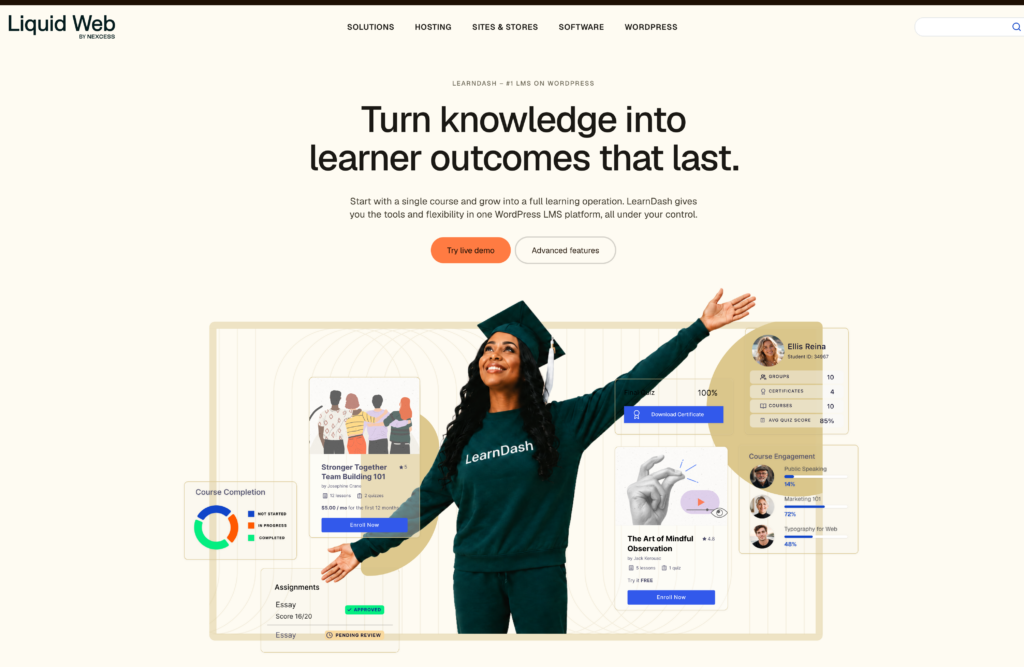
LearnDash operates as a WordPress plugin that transforms standard WordPress sites into comprehensive learning management systems. The platform serves educational institutions, training companies, and entrepreneurs who want to deliver courses through their existing WordPress infrastructure.
The system includes features for creating multi-tier course structures with lessons, topics, quizzes, and assignments. Administrators can set prerequisites, drip-feed content based on schedules, and award certificates upon course completion.
Key capabilities include:
- Course builder with drag-and-drop functionality
- Quiz engine with eight question types and automated grading
- Advanced quizzing with timers, question banks, and custom feedback
- Dynamic forums through bbPress integration
- Engagement tools like badges, certificates, and points
LearnDash supports multiple monetization options through integration with major payment gateways and membership plugins. Instructors can sell courses individually, bundle them into subscriptions, or offer membership-based access.
The platform provides detailed reporting on student progress, quiz results, and course completion rates. Administrators can track individual learner performance and generate completion reports for compliance purposes.
Integration options extend functionality:
| Integration Type | Examples |
|---|---|
| E-commerce | WooCommerce, Stripe, PayPal |
| Email Marketing | Mailchimp, ConvertKit |
| Video Hosting | YouTube, Vimeo, Wistia |
| Webinar Tools | Zoom, GoToWebinar |
LearnDash requires technical knowledge of WordPress for setup and customization. Organizations already using WordPress benefit from maintaining their existing site design while adding course delivery capabilities. The plugin receives regular updates and offers dedicated support channels for troubleshooting.
TalentLMS
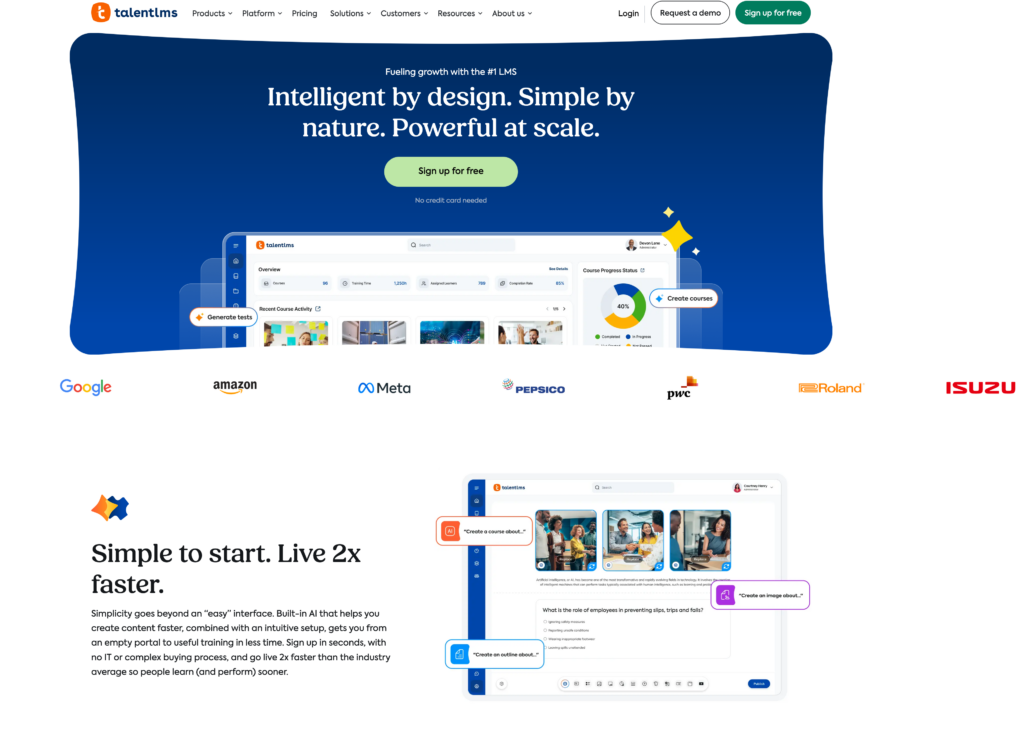
TalentLMS delivers a cloud-based learning platform designed for businesses that need to launch training programs quickly. The system requires minimal technical expertise, allowing organizations to create and deploy courses within minutes of setup.
Core Capabilities
The platform supports multiple content types including videos, presentations, SCORM files, and custom assessments. Instructors can build courses using a drag-and-drop interface or import existing materials. TalentLMS offers native mobile apps for iOS and Android, enabling learners to access training content offline.
Key Features
| Feature | Description |
|---|---|
| Gamification | Badges, points, and leaderboards to increase engagement |
| Branching | Customized learning paths based on user responses |
| E-commerce | Built-in tools to sell courses online |
| Reporting | Analytics on course completion and learner progress |
Integration Options
TalentLMS connects with popular business tools through its API and pre-built integrations. The platform works with Zoom, Salesforce, Shopify, and various payment processors. Organizations can also embed single sign-on through SAML or OAuth.
Pricing Structure
The system operates on a tiered subscription model based on active users. A free plan accommodates up to 5 users and 10 courses. Paid tiers scale with organizational needs, offering unlimited courses and increased storage capacity.
TalentLMS supports blended learning by combining instructor-led sessions with self-paced online modules. The platform includes discussion forums and messaging features that facilitate collaborative learning among participants.
Docebo
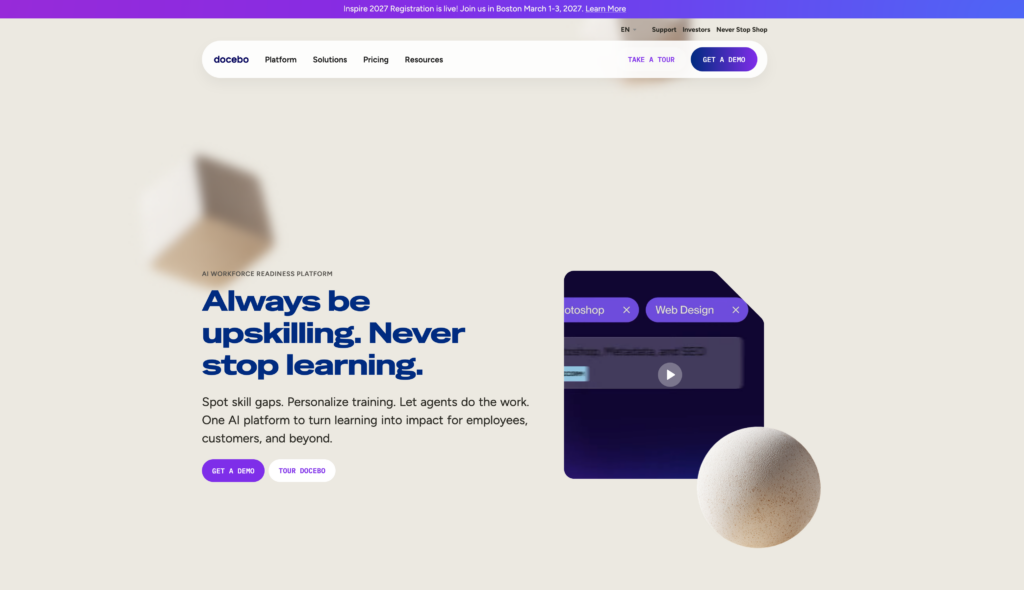
Docebo is a cloud-based learning management system that serves organizations across multiple industries. The platform uses artificial intelligence to automate and personalize learning experiences for users.
The system offers a flexible structure that supports various learning formats including online courses, blended learning, and social learning environments. Organizations can create and deliver course content through a centralized platform that includes mobile app access. The AI-powered features help administrators recommend relevant learning programs to users based on their roles and past activities.
Key capabilities include:
- Course management and content delivery tools
- Integration options with third-party applications and enterprise systems
- Multi-language support for global organizations
- Reporting and analytics dashboards
- Mobile learning through iOS and Android apps
Docebo provides different learning environments within a single platform. The Learn module handles traditional course delivery, while the Shape component allows users to create and share informal learning content. The Connect feature enables collaborative learning through community spaces.
The platform supports extended enterprise learning, allowing organizations to train external audiences such as customers, partners, and resellers. This makes it suitable for companies that need to deliver training beyond their internal workforce.
Organizations can customize the learning platform’s appearance to match their branding requirements. The system also includes e-commerce functionality for selling courses directly to learners. Docebo offers various pricing tiers based on the number of active users and required features.
Frequently Asked Questions
Organizations and educators commonly ask about LMS capabilities, platform differences, essential features, integration options, and usability factors when evaluating systems for their specific learning needs.
What is a learning management system and how does it support online and blended learning?
A learning management system is a software platform that delivers, tracks, and manages educational content and training programs. The system provides tools for course creation, learner enrollment, progress tracking, assessment delivery, and reporting.
LMS platforms support online learning by hosting course materials, videos, quizzes, and assignments in a centralized digital environment accessible from any device. Learners complete coursework at their own pace while instructors monitor engagement and performance through built-in analytics.
For blended learning, an LMS combines in-person instruction with digital components. Instructors use the platform to distribute pre-class materials, facilitate discussions, collect assignments, and provide supplementary resources that extend classroom learning.
How do Moodle and Canvas differ for course management and teaching?
Moodle is an open-source LMS that organizations can customize extensively through plugins and themes. The platform requires technical expertise for setup and maintenance but offers complete control over features and data hosting.
Canvas LMS provides a cloud-based solution with a modern interface and built-in features like video conferencing, mobile apps, and simplified course creation tools. The platform emphasizes ease of use and requires less technical knowledge to administer.
Both systems support assignment submission, grading, discussion forums, and quiz creation. Canvas typically offers faster implementation and smoother user experience, while Moodle provides greater flexibility for organizations with specific customization requirements.
What features should an organization prioritize when choosing an LMS platform?
Core functionality includes course authoring tools, content management, user enrollment capabilities, and reporting features. The platform must support the organization’s specific content formats, whether video, SCORM packages, documents, or interactive modules.
Mobile accessibility through responsive design or dedicated apps ensures learners can access materials on smartphones and tablets. Cloud-based deployment reduces IT overhead compared to self-hosted solutions.
Assessment tools should include quizzes, surveys, assignments, and certification tracking. Integration capabilities with existing systems determine how smoothly the LMS fits into current workflows.
User interface design affects adoption rates among learners and instructors. A flexible LMS adapts to changing learning needs through scalable pricing, customizable features, and support for various teaching methodologies.
Which LMS platforms are best for corporate training, schools, and enterprise learning programs?
Absorb LMS serves corporate training needs with features for compliance tracking, onboarding programs, and sales enablement. The platform includes e-commerce capabilities for selling courses and advanced reporting for training ROI measurement.
Canvas dominates K-12 and higher education with tools designed for academic settings, including gradebook management, parent access, and standards-based grading. The platform supports collaborative learning through group assignments and peer review features.
Enterprise organizations often select platforms like SAP SuccessFactors or Cornerstone OnDemand for workforce development. These systems integrate deeply with HR systems for talent management, succession planning, and performance reviews.
Moodle serves diverse sectors through its adaptability, supporting everything from small schools to large universities and corporate training departments. The platform’s plugin ecosystem allows organizations to add specialized functionality for their industry.
How can an LMS integrate with existing HR, CRM, and collaboration tools?
Modern LMS platforms connect to HR systems through APIs that sync employee data, organizational structures, and job roles. This integration automates user provisioning, assigns training based on position, and reports completion data back to HR databases.
CRM integration links learning records to customer and partner accounts. Sales teams track partner certification status, assign product training, and measure the correlation between training completion and sales performance.
Single sign-on (SSO) integration with identity providers like Active Directory, Okta, or Google Workspace eliminates separate login credentials. Learners access the LMS using their existing organizational accounts.
Collaboration tools such as Microsoft Teams, Slack, and Zoom embed directly into LMS platforms. This connection enables live virtual classes, team-based projects, and communication without switching between applications.
What makes an LMS easy to use for learners, instructors, and administrators?
Intuitive navigation allows learners to find courses, track progress, and submit assignments without training. Clear dashboards display upcoming deadlines, completion status, and recommended learning paths.
Instructors benefit from simplified course creation tools that use templates, drag-and-drop content builders, and bulk uploading capabilities. Grading workflows should streamline assessment review with rubrics, automated scoring for objective questions, and comment libraries.
Administrators require centralized user management with bulk enrollment, automated notifications, and group-based permissions. Reporting tools must generate compliance reports, engagement metrics, and completion statistics without requiring SQL queries or technical skills.
Mobile apps provide consistent functionality across devices for content viewing, assignment submission, and discussion participation. The learning environment adapts to screen sizes while maintaining full feature access.
Final Thoughts
Selecting the right LMS requires careful evaluation of an organization’s specific learning needs and technical requirements. The best learning management system aligns with existing workflows while supporting future growth.
Organizations should prioritize platforms that offer strong integration capabilities with current tools and systems. Cloud-based LMS solutions provide flexibility and reduce IT overhead compared to traditional on-premise options.
Key factors to consider include:
- Mobile accessibility for learners who need on-the-go access
- Course management tools that simplify content creation and delivery
- Reporting and analytics to track learning progress
- User interface that encourages adoption across all skill levels
Moodle and Canvas LMS remain popular choices for educational institutions, while platforms like Absorb LMS cater well to corporate training needs. Each system brings distinct advantages depending on whether the focus is online learning, blended learning, or social and collaborative learning experiences.
The ideal LMS supports multiple learning formats and adapts to different teaching and learning styles. Organizations benefit most when they involve stakeholders from IT, training, and end-users in the selection process.
Testing platforms through demos or trial periods helps reveal how well an LMS handles course content, course delivery, and the overall learning environment. The right choice empowers instructors and engages learners while meeting organizational objectives efficiently.
Budget considerations should account for implementation costs, ongoing maintenance, and potential scaling needs as learning programs expand.