Best Hosting For LMS
What is the best hosting for an LMS (Learning Management System) is a great hook, and while WP-Tonic is on the list of suggestions, we feel strongly that you should look at us; let’s go over the “why”. With offers ranging from $11.00/month to hundreds, what features and services drive success with a hosting platform? More critically, how much of the hosting and maintenance do you want to be responsible for? Are you looking to be a hosting expert of your own, or more of a white=gloved experience? Read on, as this post form Jonathan puts tha facts in order.
Don’t Let Your Course Site Choke Under Its Own Success
An LMS hosting provider shapes how reliably a learning management system delivers courses, handles traffic, and protects course data. The best hosting solution provides scalable server resources, dependable backups, sufficient bandwidth, and responsive customer support for an LMS platform.
Shared hosting may suit a small WordPress site, but it can struggle when online learning adds video, quizzes, memberships, and many concurrent users. Once your project is past the “proof of concept” phase, mature hosting should be a strong consideration. A suitable hosting plan should support Moodle or WordPress customization without limiting course growth.
They should compare hosting options by performance, scalability, security, support, and the technical needs of their online course. The following sections examine common hosting types, hidden limitations, and leading managed WordPress and LMS hosting providers.
What Are The Main Types Of Hosting
Hosting determines how an LMS platform uses server resources, handles traffic, stores course content, and supports online learning. The right hosting option depends on learner volume, customization needs, bandwidth use, technical skills, and growth plans.
Shared Hosting
Shared hosting places multiple websites on one server, with each account using a portion of the same CPU, memory, storage, and bandwidth. It is usually the lowest-cost hosting plan and suits small WordPress sites or early-stage online course projects with limited traffic.
A shared hosting provider manages the physical server, basic security updates, and network availability. However, another site on the server can consume resources during traffic spikes, which may slow down the learning management system.
This option works best when an LMS has:
- Fewer concurrent learners
- Lightweight course pages and limited video files
- Standard WordPress plugins and themes
- A modest budget for hosting
- Is still in the “proof of concept” phase
Shared hosting may become restrictive when Moodle or WordPress requires more memory, custom server settings, or reliable performance during assessments and live course launches.
Dedicated Hosting Server
A dedicated hosting server gives one organization exclusive use of an entire physical server. It provides defined CPU capacity, RAM, storage, and bandwidth without sharing resources with unrelated websites.
This hosting solution supports larger learning management systems that serve many active learners, host substantial course libraries, or run intensive features such as quizzes, reporting, integrations, and video delivery. The organization can configure the operating system, web server, security policies, and database settings to match its LMS platform.
Dedicated hosting requires stronger technical management than shared hosting. The owner or managed service must monitor server health, apply updates, configure backup schedules, and respond to security issues.
It is appropriate when performance requirements are predictable and high. It can cost more than other hosting options, especially when the plan includes managed administration and 24-hour customer support.
Virtual Private Server (VPS)
A virtual private server divides one physical server into isolated virtual environments. Each VPS receives assigned resources, such as RAM, CPU cores, storage, and bandwidth, while remaining separate from other accounts on the same hardware.
A VPS offers more control than shared hosting without the full cost of a dedicated server. It can run custom software, use server-level configurations, and support larger WordPress or Moodle installations.
For an LMS, a VPS can provide a practical middle ground when shared hosting no longer handles learner traffic reliably. Administrators can increase resources as course enrollment grows, although upgrades may require a migration or a brief service restart with some providers.
A VPS may be managed or unmanaged. Managed VPS plans include technical assistance for updates, backup, and security; unmanaged plans require the organization to maintain the server directly.
Cloud Hosting
Cloud hosting runs a website or LMS across a network of connected servers rather than relying on one physical machine. Resources can scale as demand changes, which helps platforms handle enrollment periods, assignment deadlines, and traffic surges.
A cloud hosting provider can add processing power, memory, or storage when learner activity increases. This scalable structure can reduce the risk that one server failure takes the entire WordPress site or LMS platform offline.
Cloud plans often use usage-based pricing. An organization may pay for consumed storage, bandwidth, database capacity, and compute resources, so costs can vary from month to month.
Cloud hosting suits online learning services with changing traffic patterns or expansion plans. It still requires careful configuration for backups, database performance, file storage, access controls, and monitoring.
Managed Hosting
Managed hosting assigns many technical server tasks to the hosting provider. The provider may handle operating system updates, security patches, malware scanning, backups, performance tuning, uptime monitoring, and customer support.
Managed WordPress hosting focuses on WordPress sites and commonly includes automatic core updates, staging environments, caching, and plugin compatibility assistance. Managed Moodle hosting may also provide Moodle updates, database optimization, course backup tools, and support for learning management system administration.
This option reduces the work required from internal staff. It is useful when an organization needs a reliable hosting solution but does not employ server administrators.
Service levels vary by provider. Before selecting a managed plan, an organization should confirm backup frequency, restoration procedures, bandwidth limits, uptime commitments, support hours, allowed customization, and responsibility for LMS plugin or theme issues.
Why Shared Hosting Kills Course Sites
Shared hosting places many websites on one server, so an LMS platform competes for CPU, memory, and bandwidth. A busy online course can slow down when another account on the same server receives traffic spikes.
Learning management systems also create heavier workloads than standard WordPress sites. Moodle, WordPress LMS plugins, quizzes, video lessons, progress tracking, and user logins require consistent server resources.
| Course Site Need | Shared Hosting Limitation |
|---|---|
| Concurrent student access | Restricted CPU and memory |
| Video and file delivery | Limited bandwidth and storage |
| Automated backups | Basic or infrequent backup options |
| LMS customization | Limited server-level control |
| Growth in enrollments | Fixed resource ceilings |
A shared hosting plan may work for a small course with few learners, but performance can become inconsistent as enrollment grows. Slow page loads and failed quiz submissions can affect the learner experience and create more customer support requests.
Shared environments also limit scalability. The provider controls most server settings, which can restrict caching, database tuning, security configuration, and LMS-specific optimization.
A scalable hosting solution gives the course operator dedicated or reliably allocated resources. It also supports stronger backup practices, better uptime controls, and hosting options that match the demands of an expanding online learning site.
What LMS Hosting Actually Requires (The Technical Baseline)
An LMS hosting provider needs more than standard website space. The server must reliably handle simultaneous learners, course files, quizzes, database activity, and administrator tasks.
A suitable hosting solution should include:
- Adequate CPU and RAM for active online learning sessions
- Fast SSD or NVMe storage for course content and database queries
- Reliable bandwidth for video, downloads, and concurrent access
- Automated backup with practical restoration options
- SSL certificates and security controls for learner data
| Requirement | Why It Matters |
|---|---|
| Server resources | Supports users taking courses at the same time |
| Database performance | Keeps Moodle and other management systems responsive |
| Backup schedule | Protects courses, users, grades, and configuration |
| Scalability | Allows the LMS platform to grow with enrollment |
| Customer support | Helps resolve server or configuration issues quickly |
A shared hosting plan can support a small WordPress site with limited online course activity. It may become restrictive when many learners access lessons, submit assignments, or complete assessments simultaneously.
For Moodle, a larger WordPress LMS, or a scalable training platform, managed VPS, cloud, or dedicated server hosting often provides more consistent resources. The best hosting option should also support software customization, scheduled tasks, caching, email delivery, and regular updates.
The Traps Nobody Warns You About
A low-cost shared hosting plan can appear sufficient until multiple learners stream video, submit assignments, or take timed quizzes at once. Limited CPU resources, memory, and bandwidth can slow the LMS platform even when storage remains available.
Many providers include backups, but the schedule and restoration process matter. A daily backup may not protect recent course changes, and some hosting plans charge extra to restore a WordPress site or Moodle database.
| Risk | What to check |
|---|---|
| Performance limits | CPU, RAM, concurrent processes, and database limits |
| Backup gaps | Frequency, retention period, restore fees, and off-site copies |
| Scaling costs | Upgrade pricing, migration support, and traffic thresholds |
| Support coverage | LMS experience, response times, and 24/7 availability |
A hosting solution built for general WordPress use may not handle an online course environment well. Plugins for payments, certificates, video, and reporting can create conflicts or increase server load.
Customization also creates maintenance obligations. They must keep the learning management system, themes, plugins, and security patches current without disrupting active learners.
Customer support can resolve server issues, but it may not troubleshoot Moodle configuration or a specific LMS plugin. The best hosting option clearly separates infrastructure support from application-level support before they commit to a hosting plan.
Head-To-Head: The Main Contenders
The best LMS hosting provider depends on the learning management system, expected traffic, and technical support needs. A small WordPress site selling one online course has different requirements than a scalable Moodle deployment for thousands of learners.
| Hosting option | Best fit | Key considerations |
|---|---|---|
| Shared hosting | Small WordPress LMS sites | Low cost, but limited server resources and bandwidth |
| Managed WordPress hosting | WordPress-based LMS platforms | Automatic backup, updates, and specialized customer support |
| VPS hosting | Growing online learning programs | More control and scalable resources; requires technical management |
| Cloud hosting | High-traffic or variable enrollment | Flexible scalability and stronger redundancy options |
| Dedicated server | Large institutions or custom platforms | Maximum control, higher cost, and more administration |
Managed WordPress hosting suits sites using plugins such as LearnDash, LifterLMS, or Tutor LMS. The provider typically handles server maintenance, caching, security monitoring, and backups, allowing course teams to focus on content and learners.
Moodle often needs a VPS, cloud hosting solution, or dedicated server because its database, file storage, and concurrent user demands can increase quickly. They should confirm PHP, database, cron job, and memory requirements before selecting a hosting plan.
Customization also affects the decision. Shared hosting can limit server-level settings, while VPS and cloud plans give administrators more freedom to configure integrations, storage, and performance tools.
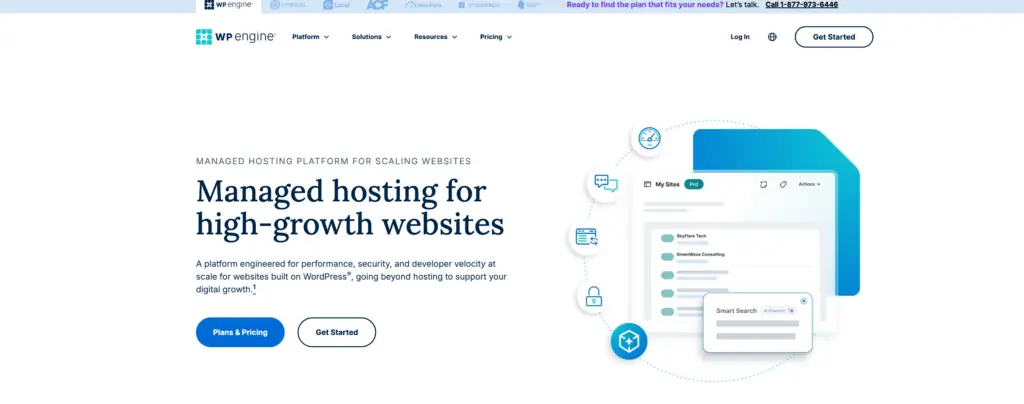
WP Engine provides managed WordPress hosting for organizations that run a WordPress site as an LMS platform. Its hosting solution suits course businesses that need managed server maintenance, security features, backups, and support for WordPress-based learning management systems.
The provider can host LMS plugins such as LearnDash, LifterLMS, and Tutor LMS. Teams should confirm plugin compatibility, PHP requirements, and expected database use before selecting a hosting plan.
| Feature | LMS relevance |
|---|---|
| Managed updates | Reduces routine WordPress maintenance work |
| Daily backup options | Helps protect course content and learner data |
| Staging environments | Lets administrators test customization before release |
| CDN and caching tools | Can improve delivery of course pages and assets |
| Customer support | Assists with hosting and platform-level issues |
WP Engine plans usually cost more than basic shared hosting, but they include managed services that many course operators would otherwise configure themselves. Bandwidth, visitor limits, storage, and the number of WordPress installs vary by plan.
It offers scalable resources for an online course site with growing traffic. However, video files often require a separate video host or storage service rather than the WordPress server, especially when many learners stream content at once.
As a sidebar, while a noted name in the space, their ongoing legal battles with Automattic can become distracting.
Cloudways

Cloudways provides managed cloud hosting options that can suit a learning management system with changing traffic needs. Its platform supports server deployment on providers such as AWS, Google Cloud, and DigitalOcean.
For an online course business, a scalable hosting solution can help maintain performance when many learners access lessons, quizzes, or video resources at once. Plans typically vary by server resources, bandwidth, storage, and selected cloud infrastructure.
| LMS requirement | Cloudway feature to review |
|---|---|
| WordPress site hosting | Managed WordPress deployment |
| Moodle or other LMS platform | Server configuration and PHP support |
| Growth in online learning traffic | Vertical scaling options |
| Data protection | Automated backup settings |
| Technical assistance | Customer support availability |
Cloudways can host a WordPress-based LMS through plugins such as LearnDash, LifterLMS, or Tutor LMS. It may also support Moodle, although administrators should verify server specifications, database requirements, and caching compatibility before deployment.
Unlike shared hosting, cloud server resources are generally isolated from other customer sites. This can give management systems more predictable access to processing power and memory.
Customization options include PHP versions, caching tools, SSL certificates, staging environments, and backup schedules. Administrators should compare each hosting plan’s included bandwidth, backup retention, support level, and cloud provider pricing before selecting an option.
Kinsta

Kinsta provides managed WordPress hosting for organizations that run an LMS platform through plugins such as LearnDash, LifterLMS, or Tutor LMS. Its hosting solution uses Google Cloud infrastructure and includes server-level caching, backups, and managed security features.
This provider can suit a WordPress site that delivers online courses, member content, quizzes, and digital downloads. It does not focus on Moodle hosting, so teams using Moodle may need a different server environment.
| Feature | LMS Hosting Consideration |
|---|---|
| Managed backups | Supports recovery after site errors or failed updates. |
| Scalable resources | Helps accommodate increased traffic during course launches. |
| CDN and caching | Can improve page delivery for global online learning audiences. |
| Customer support | Provides WordPress-focused technical assistance. |
Kinsta plans typically measure usage through factors such as monthly visits, storage, and bandwidth. Course providers should estimate expected learner traffic, video hosting needs, and the number of WordPress management systems before selecting a hosting plan.
For video-heavy online course platforms, Kinsta works best when the site uses an external video service rather than storing large media files directly on the WordPress server. Its staging tools also support testing plugin updates and customization changes before they reach the live LMS.
Rocket.net
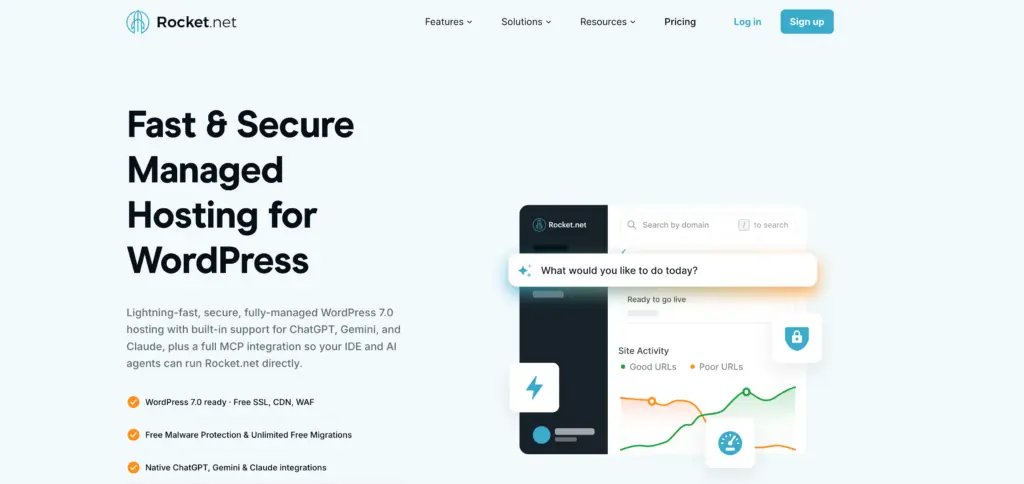
Rocket.net provides managed WordPress hosting that can suit a WordPress-based learning management system. Its platform includes a CDN, caching tools, security features, and managed infrastructure, which can reduce server administration work for course operators.
It works best for organizations using LMS plugins such as LearnDash, LifterLMS, or Tutor LMS on a WordPress site. The provider handles WordPress core updates and offers backup options, while administrators still need to test plugin and theme updates before deploying them.
| Hosting consideration | Rocket.net approach |
|---|---|
| Performance | Managed WordPress stack with caching and CDN |
| Security | Web application firewall and malware protection features |
| Support | Managed hosting customer support |
| Scalability | Plans with different visitor, storage, and bandwidth limits |
A Rocket.net hosting plan may be a stronger hosting option than basic shared hosting when an online course site has active learners, media content, and frequent logged-in activity. However, administrators should review plan limits carefully because LMS traffic can increase with video lessons, quizzes, file downloads, and enrollment periods.
Its customization options center on WordPress, rather than a standalone LMS platform such as Moodle. Organizations requiring deep server-level configuration or custom Moodle hosting may need a different hosting solution.
Levamo (Rapyd Cloud)
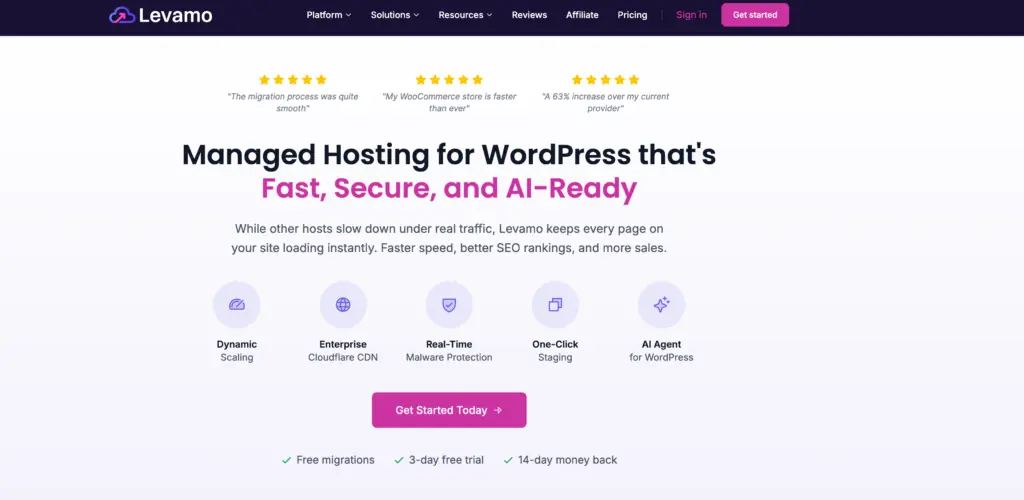
Levamo, previously known as Rapyd Cloud, provides managed cloud hosting for WordPress sites. It can suit course creators and organizations running a WordPress-based learning management system with plugins such as LearnDash, LifterLMS, or Tutor LMS.
When Rapyd Cloud was released, it was their direct affiliation with BuddyBoss (a resource-hungry plugin) that led to quick adoption. It was configured to serve these heavy BuddyBoss/LMS sites with added performance. This gave them a leg up a few years ago at launch, but many have upped their game while monitoring budgets in recent years.
The platform focuses on managed server operations, including backups, updates, security measures, and performance monitoring. This reduces routine administration compared with a shared hosting plan, where the site owner often handles more configuration.
| Feature | LMS Hosting Relevance |
|---|---|
| Managed WordPress hosting | Supports WordPress LMS platform maintenance |
| Cloud infrastructure | Can provide scalable resources for growing online learning traffic |
| Automated backup options | Helps protect course content, learner records, and site settings |
| Customer support | Assists with hosting and server-related issues |
| Staging environments | Lets teams test customization before publishing changes |
Levamo may be a practical hosting option for a WordPress site that needs more resources than basic shared hosting. Its suitability depends on the online course size, concurrent learners, media bandwidth requirements, and required integrations.
Organizations should review the available hosting plan limits, backup retention, support coverage, and scalability options. They should also confirm compatibility with their chosen learning management systems, payment tools, caching plugins, and video delivery services.
WP-Tonic

WP-Tonic provides managed WordPress hosting services aimed at membership sites, online course businesses, and learning management systems. Its hosting solution can suit organizations using LearnDash, LifterLMS, or other WordPress LMS platform plugins.
The provider focuses on managed server operations, including backups, security monitoring, updates, and customer support. This can reduce routine technical work for teams that need to maintain a WordPress site while publishing online learning content.
| Hosting consideration | WP-Tonic approach |
|---|---|
| LMS performance | Configured for WordPress-based membership and course sites |
| Backup | Managed backup options help protect course data |
| Support | Support targets WordPress and LMS-related hosting needs |
| Scalability | Plans can support growth in users, courses, and traffic |
WP-Tonic is not a shared hosting option in the typical low-cost sense. Its plans generally emphasize managed infrastructure and specialist support, which may fit sites with paid online courses, recurring memberships, or higher support requirements.
Teams should compare bandwidth, storage, backup retention, server resources, and customization limits before selecting a hosting plan. They should also confirm compatibility with their chosen LMS platform, payment tools, and WordPress plugins.
Decision Framework / Checklist
They should match the LMS hosting provider to the learning management system’s traffic, course format, and technical requirements. A small WordPress site with limited online course activity may use shared hosting, while a growing Moodle or LMS platform often needs a managed server or cloud hosting solution.
| Checkpoint | What they should assess |
|---|---|
| Performance | CPU, RAM, storage type, bandwidth, and expected concurrent learners |
| Scalability | Ability to add resources during enrollment peaks or live sessions |
| Compatibility | Support for Moodle, WordPress, required PHP versions, databases, and plugins |
| Security | SSL, firewall controls, malware scanning, user access policies, and backups |
| Support | Availability of customer support and LMS-specific technical knowledge |
They should review each hosting plan’s limits before choosing the best hosting option. Unlimited bandwidth or storage may still include fair-use policies, account restrictions, or limits on server resources.
A suitable provider should offer automated backup schedules, clear restoration procedures, and data-center reliability information. They should also confirm where backups are stored and how long the provider retains them.
For a scalable online learning environment, they should test customization options, staging tools, and upgrade processes. Management systems need predictable maintenance paths, especially when instructors depend on plugins, themes, integrations, and learner data.
For a higher-education deployment, compare LMS platforms for colleges before using this checklist to choose the hosting environment.
Final Throughts
An LMS hosting provider should match the learning management system’s expected traffic, course media, and administrative needs. A suitable hosting solution gives the LMS platform enough server resources, bandwidth, and storage without paying for capacity it will not use.
Shared hosting can support a small WordPress site with a basic online course. However, Moodle and larger WordPress LMS installations often need a managed VPS, cloud server, or dedicated hosting plan as enrollment and concurrent activity increase.
Key factors to review include:
- Scalability for growing learners, courses, and media files
- Backup schedules and restoration options
- Customer support with LMS and WordPress knowledge
- Customization access for themes, plugins, and integrations
- Security controls for learner accounts and course data
The best hosting option also supports routine maintenance. They should test updates, monitor server performance, and confirm that backup copies remain available before changing plugins or management systems.
A scalable hosting plan helps an online learning site adapt when course demand changes. It also gives administrators more control over performance as the LMS develops.